Projects / BehaveGuard
BehaveGuard
Continuous biometric authentication from how you type and move your mouse. BiLSTM + TCN fusion, async retraining over Redis Streams.
- FastAPI
- PyTorch
- Redis Streams
- Next.js
- PostgreSQL
Demo
Overview
BehaveGuard is a behavioural-biometrics authentication system. It learns how a person types and moves a cursor, then answers two questions: is this session really this profile (1:1 verification), and which of several profiles is it closest to (1:N identification).
It is built as a full application: a FastAPI backend, PostgreSQL with pgvector, Redis, an RBF-SVM and centroid scorer, an experimental BiLSTM plus TCN fusion model that retrains in the background, and a Next.js app with a consent flow and an admin dashboard.
On the development data, with time windows held out, a Random Forest identifies the right person first 96% of the time (100% within the top three) with a 2% equal error rate, and the tuned SVM scores 82%. Keyboard alone reaches 78% and mouse alone 70%, while using both reaches 82%, so combining them helps.
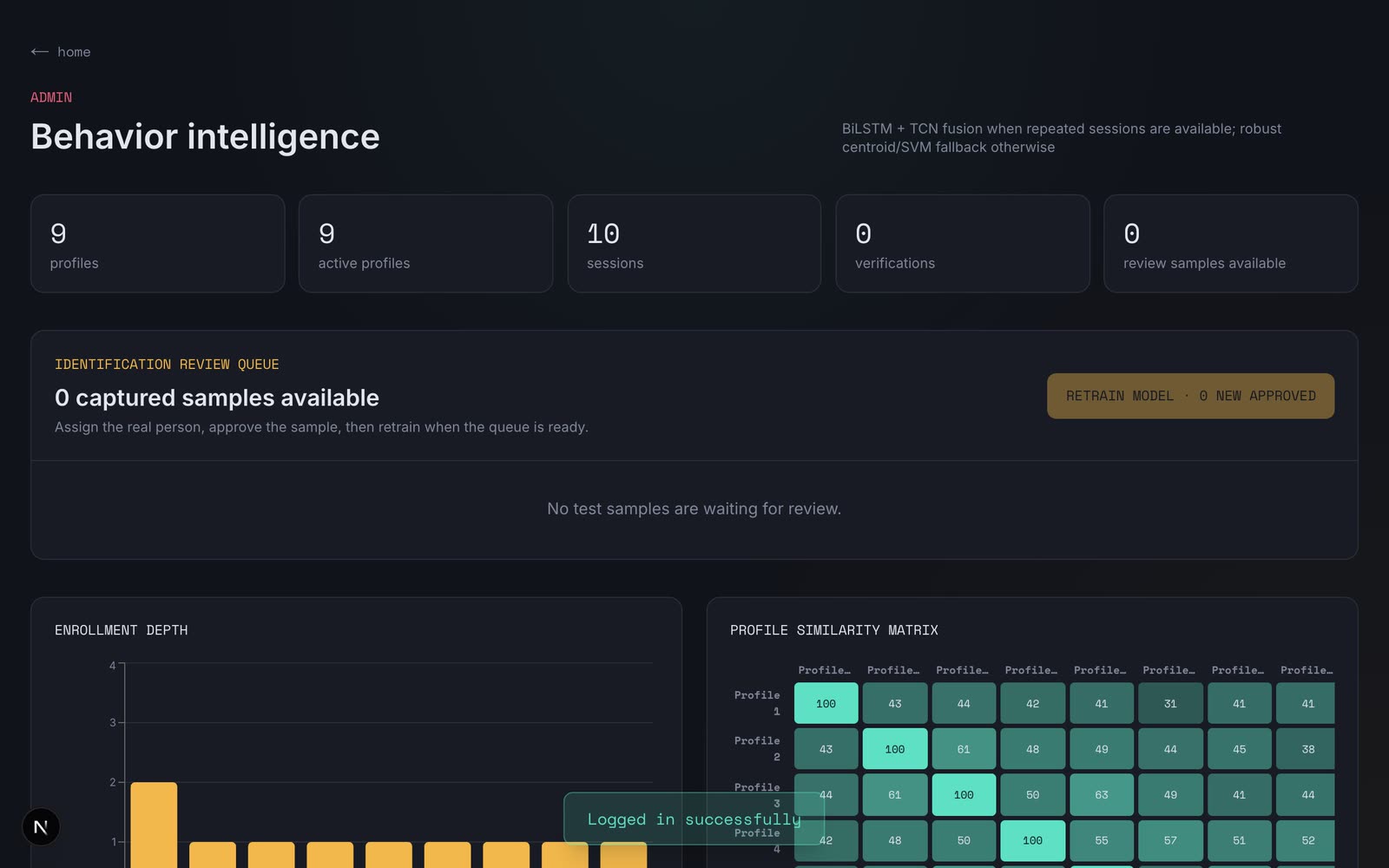
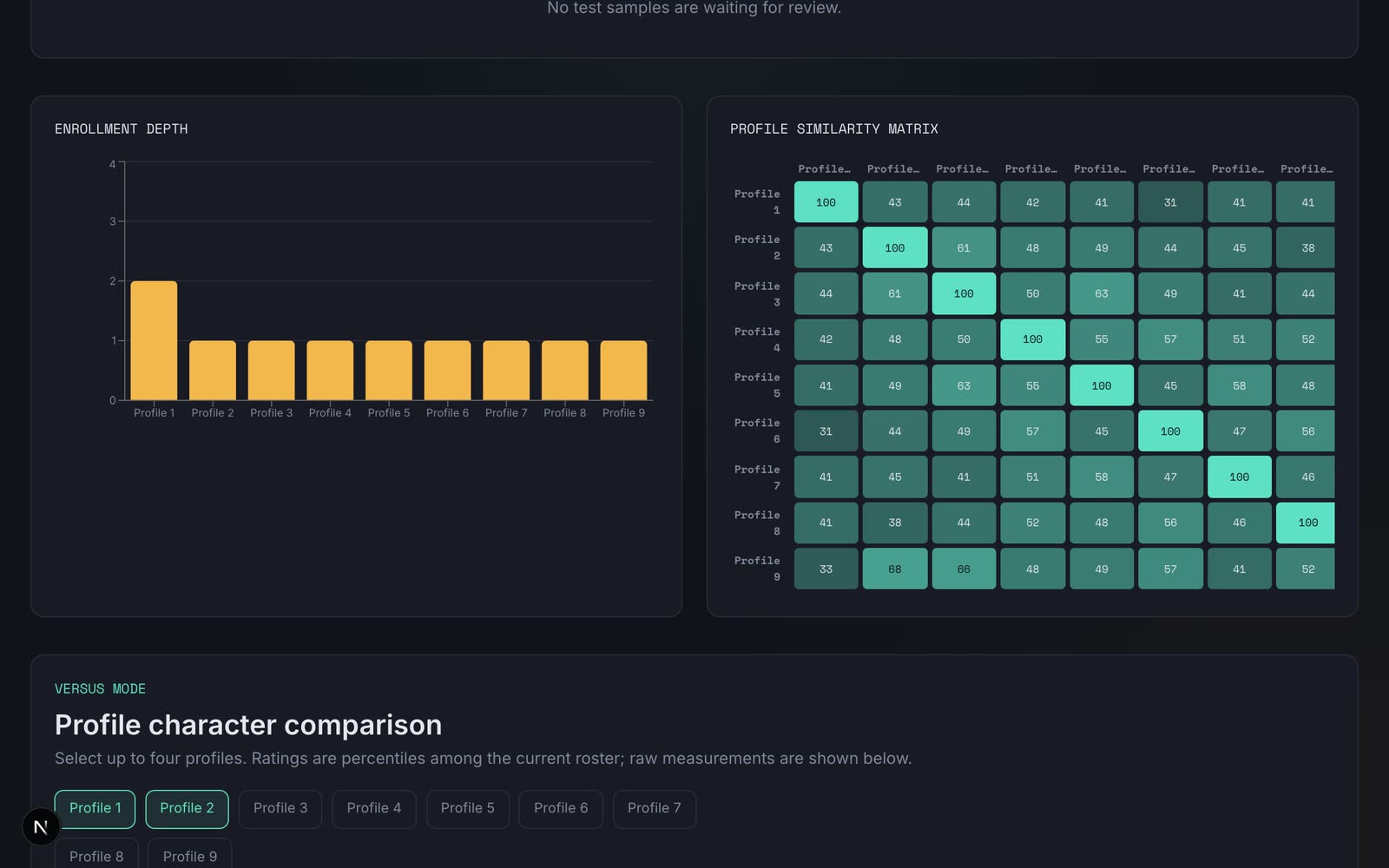
This is research-scale work, and the numbers should be read that way: the development set is 10 sessions from 9 people, so the results show that the pipeline works, not that it is ready to protect real accounts. The demo shows the app running locally on that dataset, with the nine profiles renamed Profile 1 to 9 for privacy.
What it does
- Keyboard and mouse. Typing rhythm (dwell and flight timing) plus cursor tasks (click accuracy, drag and tracking), turned into 142 engineered features.
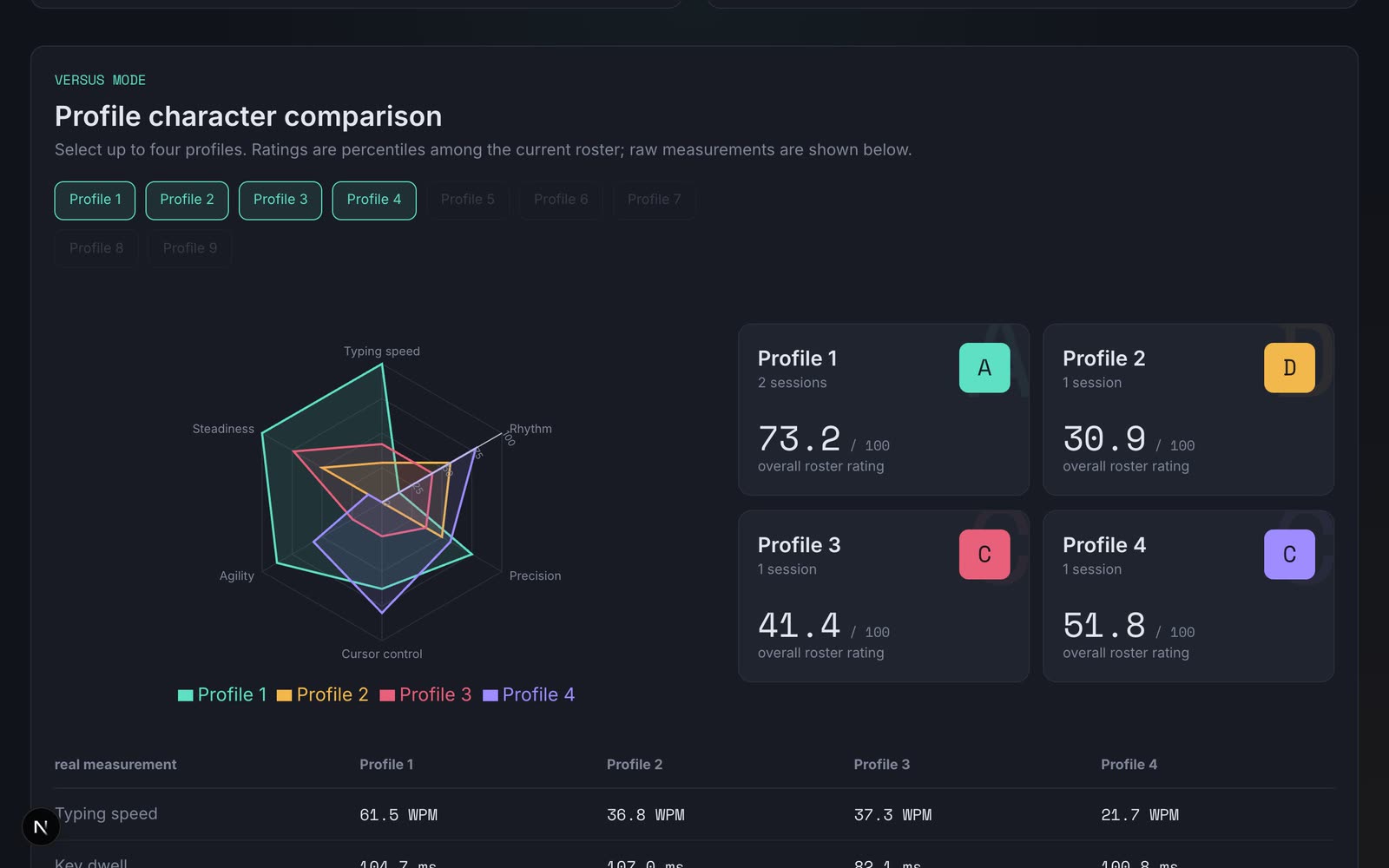
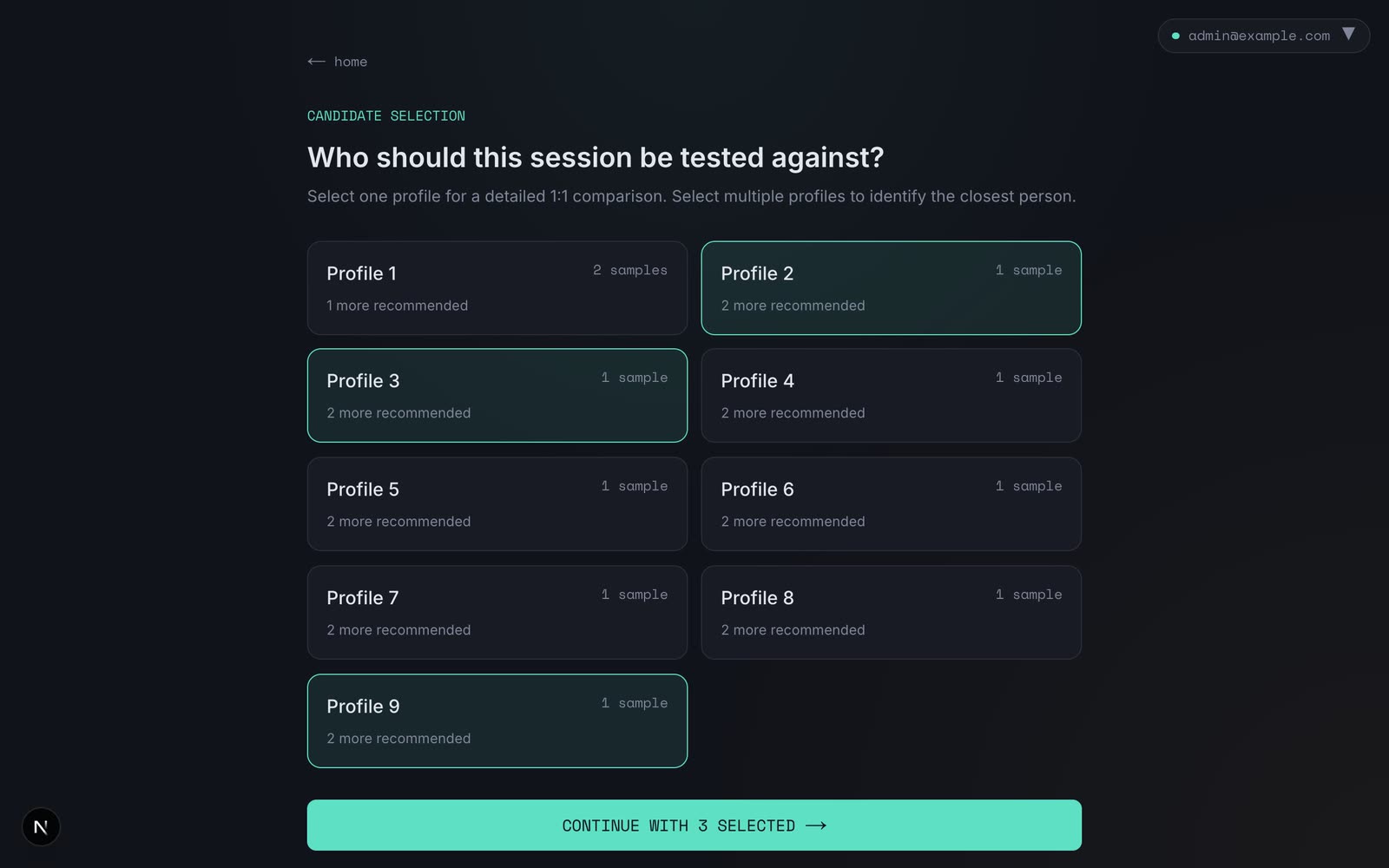
- Two modes. 1:1 verification against one profile, and 1:N identification that ranks any set of selected profiles.
- Retraining that cannot hurt you. The classical model refits inline on every enrollment. The neural model retrains in the background and only replaces the live one if it passes a held-out promotion gate.
- Consent first. The app lists what it records, stores key identity and timing rather than typed text, and sends nothing until every task is finished.
- Automatic merging. Duplicate profiles are merged when their centroids match, and every merge is logged and can be reverted.
- Security signals. Brute force, replay and far-spike alerts for a human to review, plus rate limiting on login and verification.
- Admin dashboard. Enrollment depth, a similarity matrix, a versus-mode radar, retraining jobs and alerts, with blacklist and delete.
- Careful accounts. JWT with refresh tokens and optional Google sign-in. There is no admin-creation endpoint; admins are promoted from the command line.
- Honest evaluation. An experiment command runs model comparisons and modality ablations, and a personal verifier is evaluated with session-disjoint folds.
Screenshots
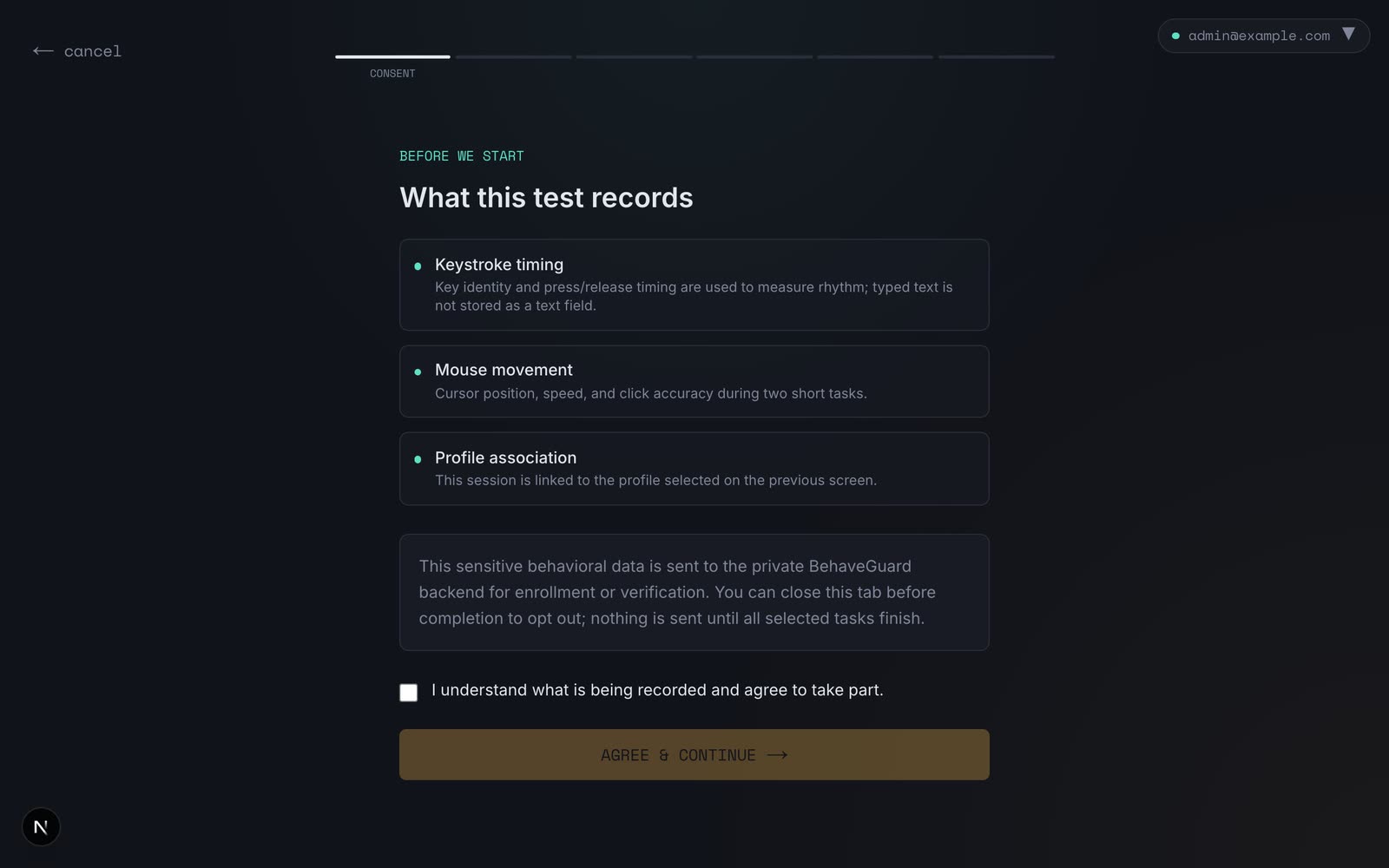
How it works
- You consent, then the capture app records a typing test and three mouse tasks and sends the timing data once everything is finished.
- The backend turns the raw events into 142 features, and the scorer compares them with each profile's centroid and a trained RBF-SVM.
- Postgres keeps the profiles, sessions and embeddings, and a Redis stream queues background retraining.
- The retrain worker trains a neural candidate on a held-out split and promotes it only if it beats the live model. Security signals watch for brute force, replay and probing.
- The admin dashboard reads it all: similarity between profiles, comparisons, jobs and open alerts.
Install and try it
BehaveGuard needs Docker, Python 3.12 with uv, and Node. The dataset is private and not in the repository, so you need your own recorded sessions to import.
- Start Postgres and Redis
git clone https://github.com/mkgstf/behaveguard.git cd behaveguard docker compose up -d - Install and create the schema
uv sync uv run alembic upgrade head - Import data and start the backend
The API runs on port 8000. Retraining runs in a background thread locally.
uv run behaveguard import-xlsx Behaveguard-client.xlsx uv run behaveguard serve - Start the frontend
Open
http://localhost:3000. Register an account first.cd behaveguard-client npm install npm run dev - Make yourself an admin
There is no admin sign-up route, by design.
uv run behaveguard promote-admin you@example.com --role platform_admin
Notes
- It is not hosted. An earlier temporary version ran from a laptop through a Cloudflare Tunnel.
- The dataset is not in the repository. For this page the nine profiles were renamed Profile 1 to 9, and the participant names were removed from the stored session data before anything was recorded.
- Scores are development-scale: one session per person for most identities, evaluated on held-out time windows. The project's own report says the thresholds still need calibration on independent sessions, and recommends at least three sessions per person on separate days.
- The personal neural verifier is marked advisory in the report: it accepted 3 of 4 genuine sessions and rejected all 8 impostor trials, which is too few trials to rely on.