Projects / Keyway
Keyway
Self-hosted secrets vault with PBKDF2 key derivation and Redis-backed, session-only key handling.
- Flask
- Redis
- Vue 3
- PostgreSQL
Demo
Overview
Keyway is a self-hosted vault for the API keys, tokens and credentials a developer collects. Unlike a generic password manager it tracks each key's expiry date and can test whether the key still works, so a revoked or expired key is found before it breaks something in production.
It is built so that a stolen database is useless. Each user gets a random salt, and the encryption key is derived from their password at login with PBKDF2, held only in the server-side session, and never written to disk or sent to the browser.
The demo below is a recording of Keyway running locally with throwaway test data: three clearly fake secrets, checked against a small mock API that accepts exactly one of the keys.
What it does
- Zero-persistence keys. The encryption key is derived from your password at login (PBKDF2-HMAC-SHA256, 480,000 iterations, a unique 16-byte salt) and exists only in the server-side session.
- Encrypted at rest. Values are encrypted with Fernet before they reach the database, which holds only ciphertext, salts and metadata.
- Expiry tracking. Every secret can carry an expiry date, shown as an Expires or Expired badge, with an expiring-soon warning on the dashboard.
- Health checks. Point a key at an endpoint and Keyway calls it with the key attached as a bearer token, header or query parameter, then records valid or invalid.
- Safe checks. Redirects are blocked, requests time out after five seconds, only GET, POST and HEAD are allowed, and response bodies are discarded unread.
- Careful reveals. Values are masked by default, revealed for a few seconds, and rate-limited to 10 reveals a minute per session.
- Tags, search and filters across the vault, and a dashboard of what needs attention.
- Runs your way. SQLite and filesystem sessions for local use, or Docker Compose with PostgreSQL, Redis, Gunicorn and Nginx.
Screenshots
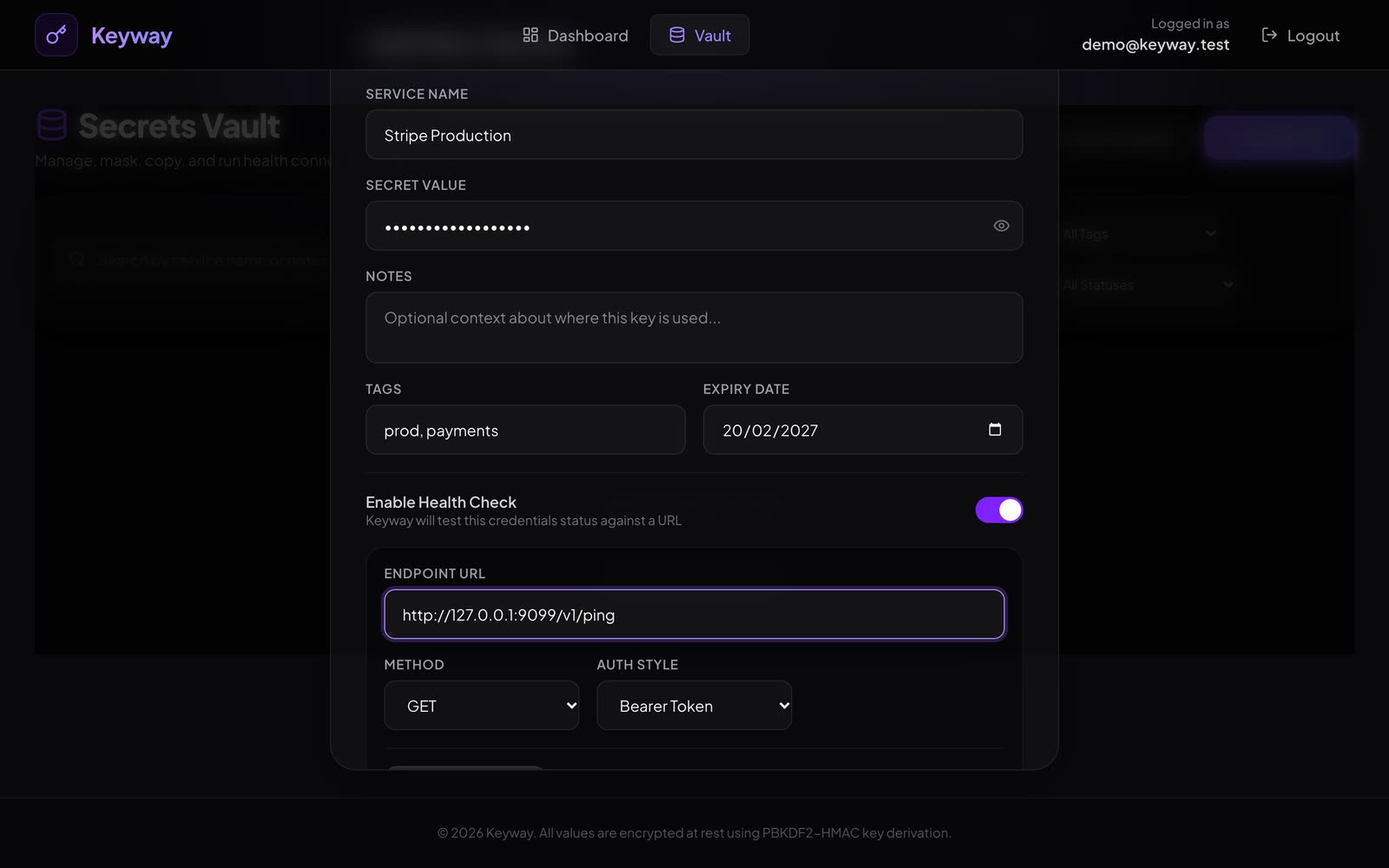
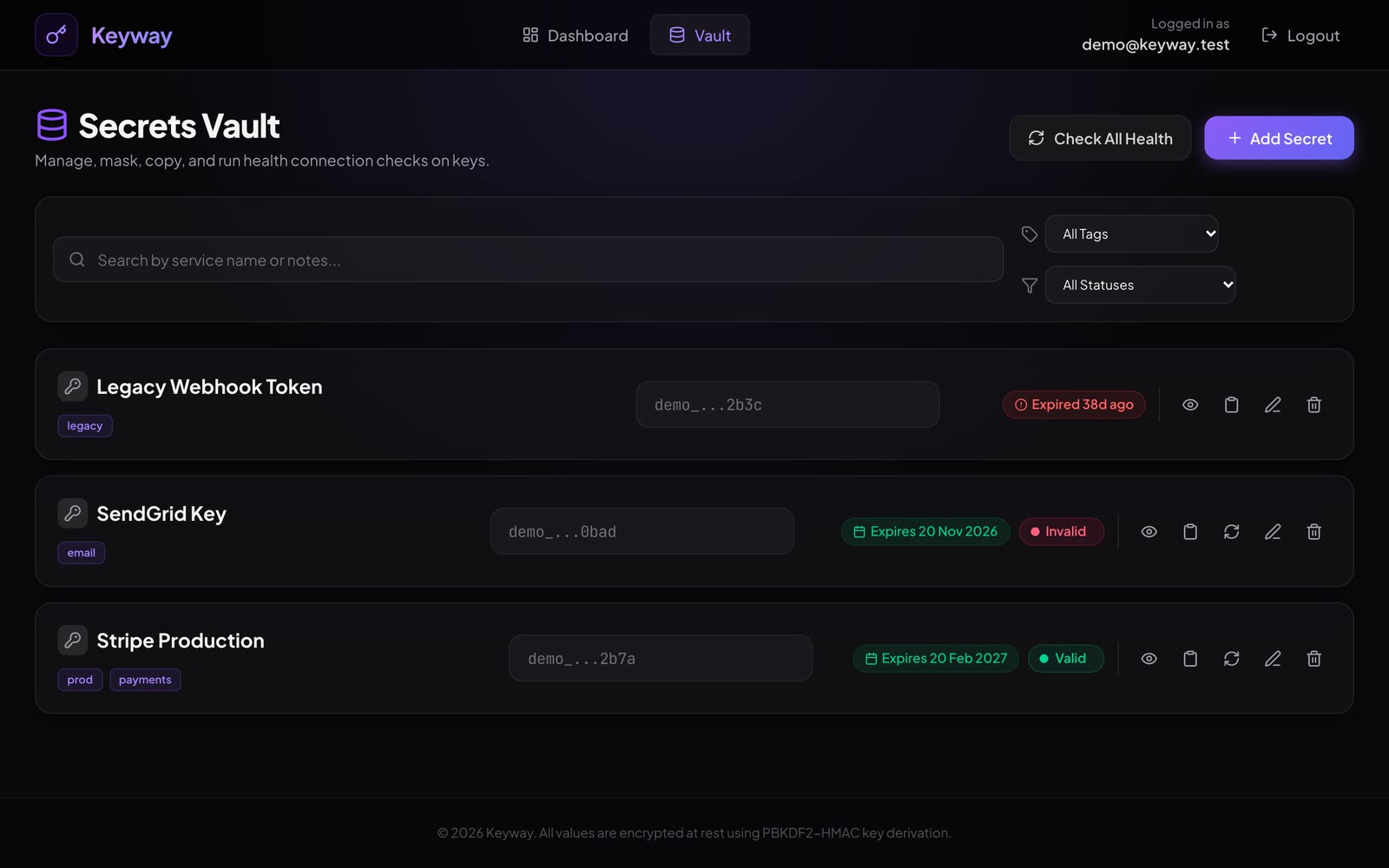
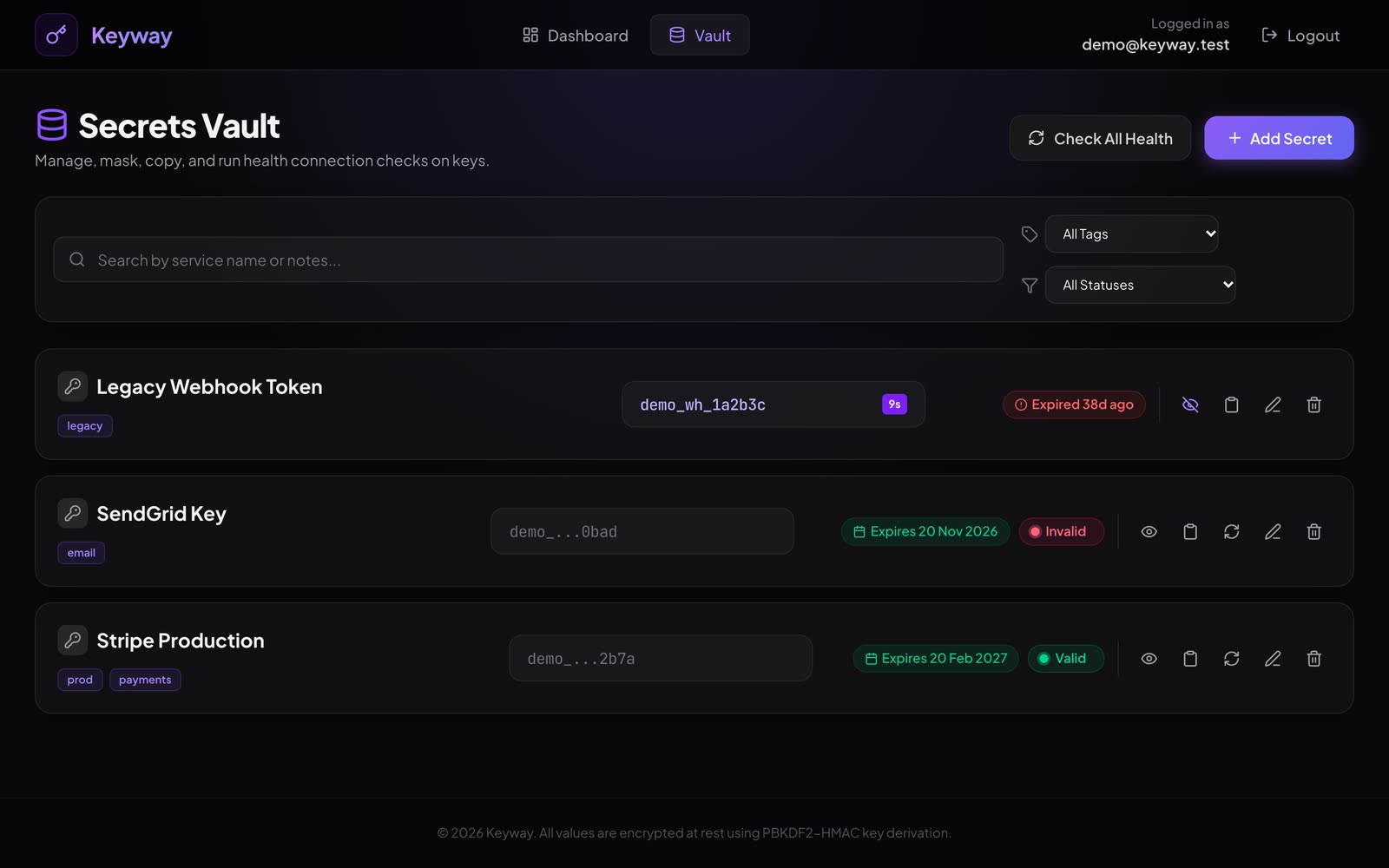
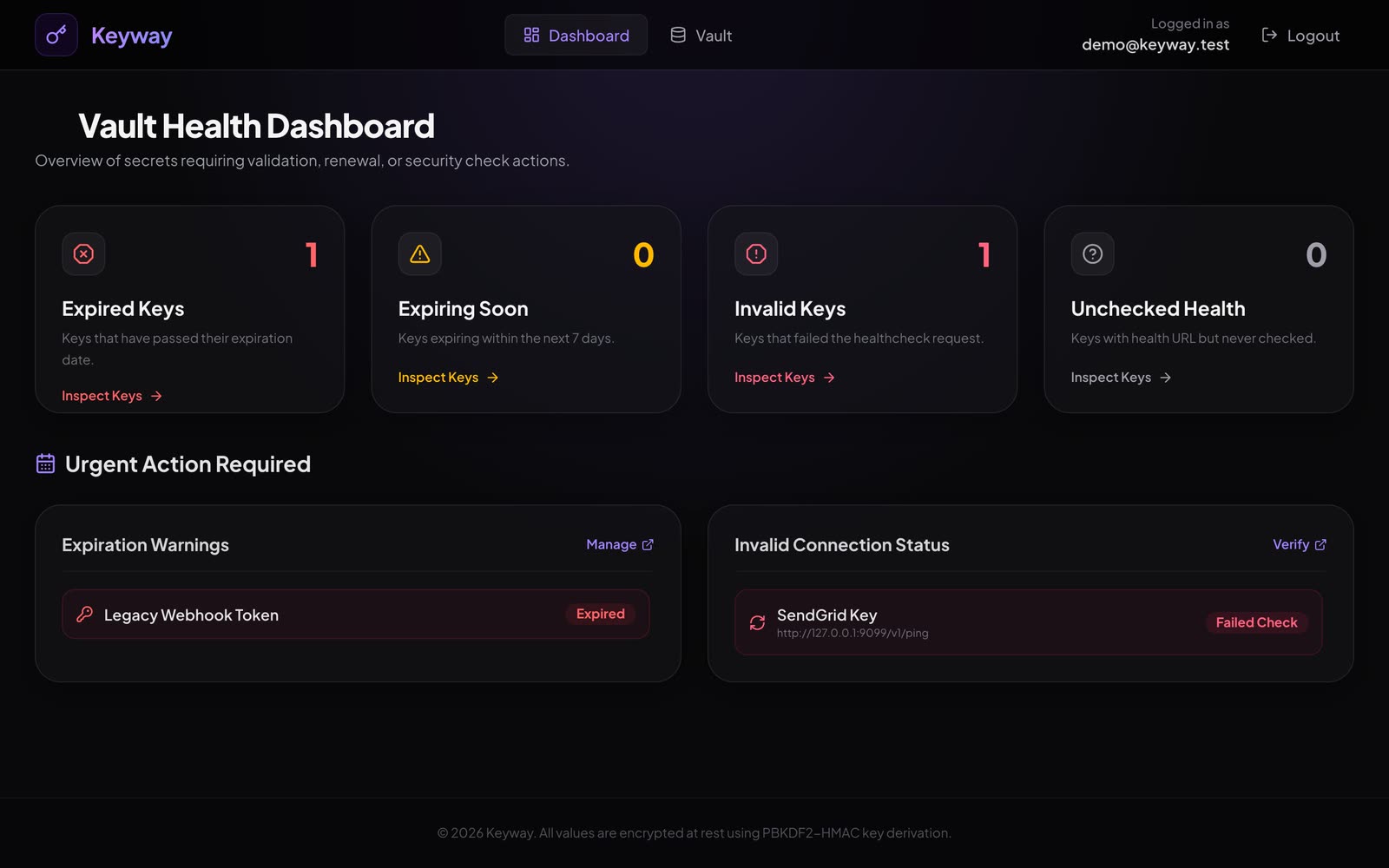
How it works
- You sign up and log in through the Vue app. The Flask API receives your password over the session.
- PBKDF2 combines your password with your own random salt into a 32-byte key, which is stored only in the server-side session.
- When you save a secret, Fernet encrypts it with that key and only the ciphertext reaches the database.
- For a health check, the value is decrypted in memory and sent to the API you chose, with redirects blocked, a five-second timeout and the response body discarded.
- Only the status code is kept, and the vault and dashboard show it as a Valid or Invalid badge next to the expiry badge.
Install and try it
Keyway needs Python 3 and Node 18+. This is the local setup, with SQLite and filesystem sessions and no Docker.
- Get the code and the backend running
On macOS port 5000 is taken by AirPlay Receiver, so run the backend on another port such as 5055.
git clone https://github.com/BriskAM/keyway.git cd keyway python3 -m venv venv source venv/bin/activate pip install -r backend/requirements.txt FLASK_RUN_PORT=5055 python backend/run.py - Start the frontend
Then open
http://localhost:5173.cd frontend npm install VITE_API_BASE_URL=http://localhost:5055 npm run dev - Or use Docker Compose
This starts PostgreSQL, Redis, Gunicorn and Nginx, and serves the app at
http://localhost:8080.cp .env.example .env docker-compose up --build - Run the tests
PYTHONPATH=backend python -m unittest discover -s backend/tests/
Notes
- Everything in the demo is test data on a local machine: the account, the three secrets (all obviously fake) and the mock API the health checks call.
- Keyway protects against a leaked database. If an attacker gets root access to the running server while you are logged in, they could read the session key from memory, which the README lists as out of scope.
- It is not hosted, because a vault of real credentials is something to run yourself rather than share.